To prepare for an office cleanout, make a clear plan, protect private data, sort items, and tell staff what to expect. Set work zones, clear walking paths, and confirm the pickup time before removal day. These steps help Douglasville offices remove furniture, electronics, and other junk without stopping daily work.
Table of Contents
- How should you plan an office cleanout?
- What should you remove before the cleanout begins?
- How can you protect sensitive business information?
- How do you keep employees productive during an office cleanout?
- What should you know before scheduling commercial junk removal?
- How can you prepare an office for the removal crew?
- What should you do after the office cleanout is complete?
- Key takeaways
- Frequently Asked Questions
- Conclusion
How should you plan an office cleanout?
A good office cleanout starts with a simple plan. Decide what must leave, when the work can happen, and who will lead each task. This helps prevent rushed choices and keeps the removal crew from slowing normal work.
Set clear goals, priorities, and deadlines
Walk through the office and list each area that needs attention. Include private offices, open work areas, storage rooms, break rooms, reception spaces, and loading areas. List large items, such as desks and conference tables, as well as small items, such as lamps, bins, and old supplies.
Separate urgent items from items that can wait. A property manager may need an empty suite before a new tenant moves in. A business owner may only need old cubicles removed before a remodel. Clear goals make it easier to set a useful deadline.
A basic cleanout plan can include:
- The rooms and storage areas included in the project
- The furniture, electronics, and debris that must leave
- The items that will stay, be donated, be recycled, or be discarded
- The date when the space must be ready
- The person who will approve final removal choices
Check the lease before moving anything. Some buildings have rules for loading docks, elevators, waste areas, and work done after hours. Douglasville Junk Removal can help business owners and property managers think through the plan before the work begins.
Assign responsibilities to the right team members
Choose one person to lead the project. That person can answer questions, approve unsure items, and work with building staff. Other team members can label furniture, gather records, or prepare electronics. Giving each task an owner helps avoid confusion.
The project lead should keep a short written list. A shared file or printed checklist can show what is done and what still needs attention. This record helps when several departments share the same office.
What should you remove before the cleanout begins?
Before the cleanout starts, identify unwanted furniture, equipment, supplies, and general office junk. Separate useful items from things that need removal. Sorting first saves time and lowers the chance that important property leaves by mistake.
Identify desks, cubicles, furniture, and general office junk
Walk through the space with a phone or paper checklist. Mark desks, chairs, cubicle panels, filing cabinets, shelves, tables, reception furniture, and damaged fixtures. Check closets and storage rooms too. Boxes, worn carpet pieces, broken fans, and old signs can add up quickly.
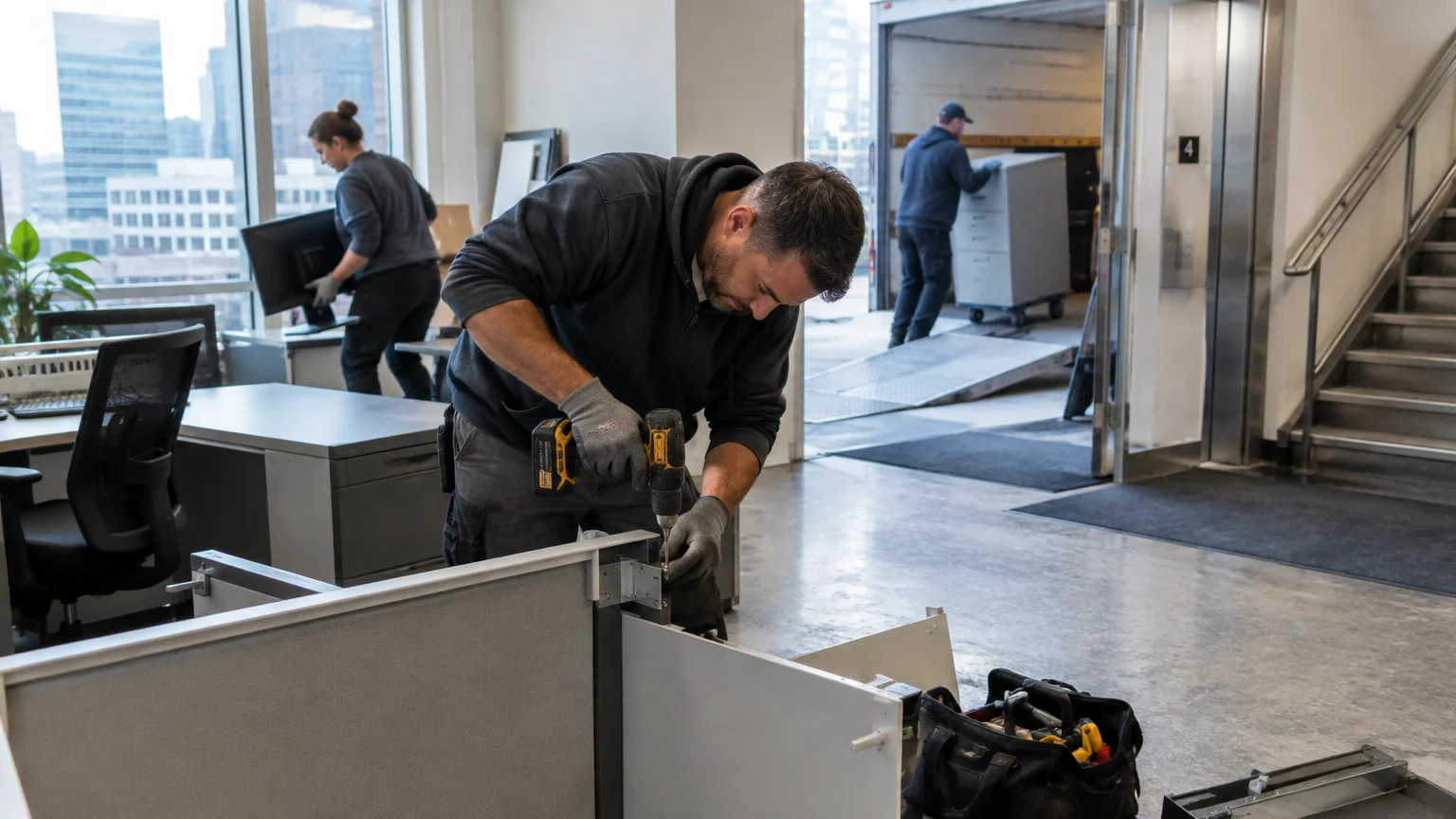
Large office furniture may need partial disassembly. Do not take items apart unless someone can do so safely without harming the building. Heavy cabinets and awkward desks can hurt workers or damage walls, doors, and floors when moved without the right tools.
The list may also include:
- Broken office chairs and unused desks
- Old cubicle panels and workstations
- Shelving, cabinets, and conference furniture
- Damaged break room appliances
- Cardboard, packing material, and loose debris
- Outdated equipment the business no longer needs
A cleanout service removes unwanted items from a home, office, or business property. It then sends items to the next proper step, such as reuse, recycling, donation, or disposal. Ask what the selected provider accepts before setting the appointment.
Separate items for reuse, recycling, donation, or disposal
Make clearly marked areas for items that will stay and items that will go. Reusable desks or chairs may help another department. Working furniture may also help a nonprofit or another local group. Keep items that need special handling away from normal office junk.
Appliances need care as well. A refrigerator, microwave, or water cooler may have parts that should not enter regular trash. Businesses asking how to dispose of appliances should check local rules and provider policies. The same applies when deciding how to get rid of a fridge or another large appliance.
Do not put paint, chemicals, pressurized containers, medical waste, or other regulated items with regular office junk. Ask the proper local authority or a qualified handler about these materials. This helps protect employees, building staff, and the removal crew.
How can you protect sensitive business information?
Secure sensitive information before an office cleanout begins. Paper records, computers, storage devices, and labels can reveal private details even after the business stops using them. A removal plan should include data safety, not only furniture removal.
Handle paper records and confidential materials securely
Review file cabinets, desks, drawers, printers, and storage boxes. Remove records that must stay, then follow the company retention policy for the rest. Documents with customer details, employee data, financial records, passwords, or legal information need extra care.
A standard office cleanout is not the same as certified document destruction. If records need shredding or another secure process, use a provider that clearly offers that service. Never leave private papers in an open hall, shared waste room, or unlocked loading area.
Check whiteboards, bulletin boards, labels, and notes before removal. They may contain passwords, phone numbers, project names, or customer details. Erase private information and remove labels from boxes, computers, and filing cabinets.
Prepare computers, hard drives, and other electronics for removal
The company technology team should handle computers and storage devices. They can back up needed files, remove accounts, sign out of services, and follow the company data-wiping policy. Simple deletion may not remove all data from a hard drive, so use the approved process.
Electronics include monitors, printers, phones, routers, cables, servers, and battery-powered devices. Keep these items in a separate area. Electronic waste may need a proper recycling program instead of regular disposal. The Environmental Protection Agency explains responsible reuse, refurbishment, and recycling options through its electronics donation and recycling guidance.
The removal crew should not decide whether a computer still holds company data. That choice belongs to the business. Once the technology team signs off, list the items for removal.
How do you keep employees productive during an office cleanout?
Employees stay more productive when they know what will happen and when. Send a short notice about the cleanout schedule, affected areas, safety rules, and changes to daily work. Clear notice helps reduce questions and keeps staff away from active work zones.
Create a clear communication plan for your team
Send the first notice early enough for employees to save files, take personal items home, and prepare their desks. Explain which items belong to the company and which items staff must remove themselves. Send a final reminder before work begins.
The message should include the date, work areas, access limits, and project lead. Employees should know where to report problems. They should also know not to move heavy furniture or enter a marked work zone without permission.
Managers can use a short checklist:
- Tell employees which rooms will close and when
- Ask staff to remove personal items before the deadline
- Explain where temporary work areas will be located
- Share rules for elevators, halls, and loading zones
- Provide one contact for cleanout questions
Use phased scheduling, temporary work areas, or remote work
A phased cleanout handles one area at a time. This works well when the office must stay open. The team might clear storage rooms first, then unused offices, and then shared work areas. This limits noise and keeps more workstations available.
Temporary work areas can help employees whose desks are being removed. Remote work may also help during a large move, remodel, or building change. The best choice depends on the business, the building, and the work performed.
Douglasville Junk Removal can help Douglasville businesses plan a removal window that fits the site. The business should make the final choice based on staff needs, customer access, security, and building rules.
What should you know before scheduling commercial junk removal?
Before scheduling commercial junk removal, document the items, access points, and site conditions. Accurate details help the provider understand the job and reduce delays. The plan should also match the property’s rules.
Document the items, access points, and site conditions
Make an inventory of everything that needs to leave. Include the number and size of large pieces, the amount of loose debris, and items that may need special handling. Photos can show tight corners, stairs, elevators, narrow doors, or long paths to the loading area.
Note whether the crew must work inside an occupied building. Identify floor protection needs, security desks, parking limits, and restricted areas. If the office is in a multi-tenant property, building staff may need advance notice.
Good details include:
- The floor or suite where items are located
- Stairs, elevators, ramps, and door widths
- Loading dock rules and vehicle access
- Items that need disassembly or careful handling
- Materials the provider cannot accept
Confirm timing, loading instructions, and property requirements
Confirm the arrival window and expected work order. The business should ask who will provide access and who can approve changes. Confirm whether the crew needs parking instructions, elevator access, or a loading dock reservation.
Property managers may require proof of insurance, work-hour limits, floor protection, or a certificate of insurance. Rules vary by building. Get these rules before the appointment rather than during the cleanout.
For local service, businesses can review how Douglasville Junk Removal serves the main Douglasville area, from Downtown Douglasville and Chapel Hills to Lithia Springs, Villa Rica, Winston, Temple, and nearby commercial properties. Clear planning helps the provider arrive ready and helps the office avoid preventable delays.
How can you prepare an office for the removal crew?
The office should be ready before the crew arrives. Clear paths, open work zones, and confirmed building access help the removal move smoothly. Employees should stay outside the active work area unless they have a specific task.
Clear pathways, elevators, loading zones, and work areas
Remove boxes, cords, decorations, and loose items from the route. Keep halls and doors open where allowed. Protect items that are staying, especially glass walls, finished floors, displays, and nearby equipment.
Do not block fire exits or safety equipment. The Occupational Safety and Health Administration gives guidance on keeping exit routes free and usable in its emergency exit route information. The business should also follow the building’s own safety rules.
Mark items that must stay. A bright label or separate room can prevent mistakes. Keep personal property, active equipment, and important records away from the removal area.
Coordinate with property managers, security, and building staff
Building staff should know the date, crew access plan, and areas involved. Security may need a guest list or loading instructions. The property manager may need to unlock service doors or reserve an elevator.
The project lead should remain available during the work. If the crew finds an item that was not on the list, the lead can decide what to do. This keeps employees from making separate choices and helps protect the schedule.
Businesses in Georgia and throughout the Douglasville area may face different building rules. Checking them early can help avoid a blocked entrance, missed elevator window, or needless delay.
What should you do after the office cleanout is complete?
After the cleanout, the project lead should inspect the space and compare it with the original plan. A final walk-through helps confirm that the right items left and that the office is safe and ready for use.
Inspect the space and confirm that all planned items were removed
Check each room, closet, cabinet, and storage area. Look behind doors and under work surfaces. Make sure planned desks, cubicles, appliances, electronics, and debris are gone. Also check that items marked to stay remain in place.
Look for blocked paths, loose wires, wall damage, floor marks, or debris left behind. Report building damage promptly to the property manager and removal provider. Keep completion notes, photos, or paperwork with the project record.
If the office involved a move or remodel, confirm that the space meets the next project’s needs. An open room may still need repairs, painting, cable work, or deep cleaning.
Organize the remaining office and document the completed cleanout
Return needed furniture and supplies to their planned locations. Label storage areas and remove old signs. Update the business asset list so future teams know what remains and where it is kept.
The project lead should record what was reused, donated, recycled, or removed. This creates a useful record for the next office change. It also helps the business improve its cleanout process.
A final review may reveal related needs, such as appliance disposal, warehouse debris removal, or a future property cleanout. Plan those tasks separately so the current project stays clear and controlled.
Key takeaways
- Plan the cleanout first: List rooms, items, deadlines, and responsible team members.
- Protect private information: Secure paper records, computers, hard drives, and labels before removal.
- Sort items clearly: Separate reusable, recyclable, donated, and disposable materials.
- Protect productivity: Use clear notices, phased work, temporary areas, or remote work.
- Prepare the building: Confirm access, elevator use, loading rules, security needs, and property requirements.
Frequently Asked Questions
What is a cleanout service?
A cleanout service removes unwanted items from a home, office, or commercial property. Items may include furniture, appliances, equipment, boxes, and general debris. The provider may sort materials for reuse, recycling, donation, or disposal. Confirm accepted materials and building rules before scheduling commercial junk removal.
How early should a business plan an office cleanout?
Start planning as soon as the target date is known. Larger offices, occupied buildings, and projects with many electronics need more planning. Early action gives employees time to remove personal items and gives property managers time to approve elevators, loading areas, and work hours.
Can a business leave computers and hard drives for removal?
Yes, but the company should prepare them first. The technology team should back up needed files, remove accounts, and follow the approved data-wiping process. A removal provider should not decide whether a device contains private information or is ready for disposal.
How should a business dispose of an old refrigerator or appliance?
First, check local rules and the provider’s accepted-material policy. Refrigerators and other appliances may need special handling because of refrigerants, batteries, or electrical parts. Do not place them in regular office trash unless the proper authority or provider confirms that method.
Can office furniture removal happen while employees are working?
It can, but phased scheduling is often easier for an active office. Clear unused rooms first, then move through shared areas during quiet periods. Barriers, staff notices, and a planned route help protect employees and keep the work organized.
Conclusion
A well-planned office cleanout does not have to stop the whole team. The business can reduce problems by sorting items, protecting data, sharing a clear schedule, and preparing the building before removal day. A written plan also helps property managers and removal crews work from the same information.
For help planning an office cleanout, Contact us to discuss your removal needs with Douglasville Junk Removal.
If you are not sure what you are dealing with, it is worth having someone look at it before it turns into a bigger job. Get in touch with Douglasville Junk Removal today and we will tell you where you stand.